Streamlined workflows
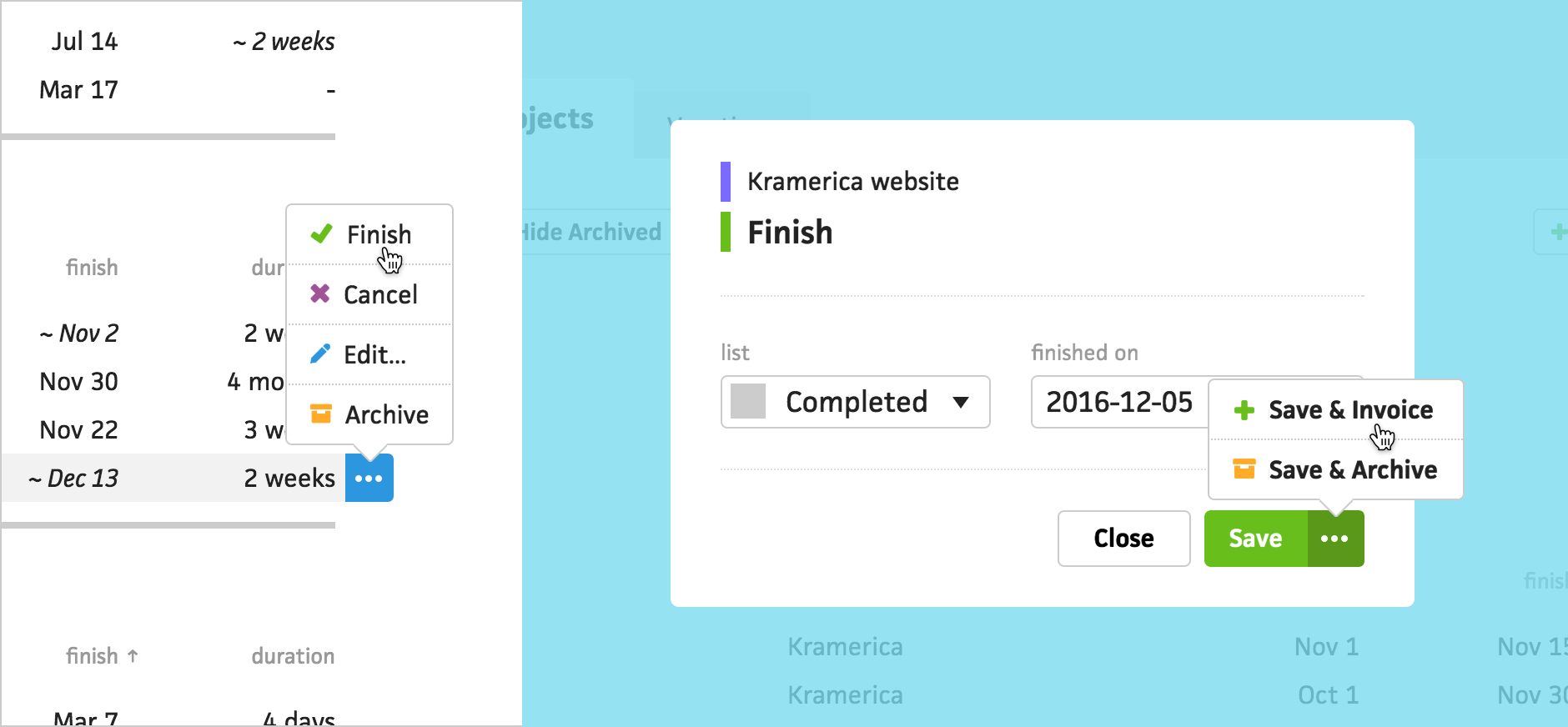



Recently, we made a pass through Cushion’s interface while asking a simple question—“Does this workflow match the way a freelancer would describe this process?” We realized that we were thinking too much like developers when designing interactions. If someone wanted to finish a project, they would need to navigate to the project’s edit form and enter the project’s finish date into an input field—not the most intuitive user experience. After taking a step back and thinking about the process, we discovered that there were countless opportunities for us to streamline workflows in Cushion.
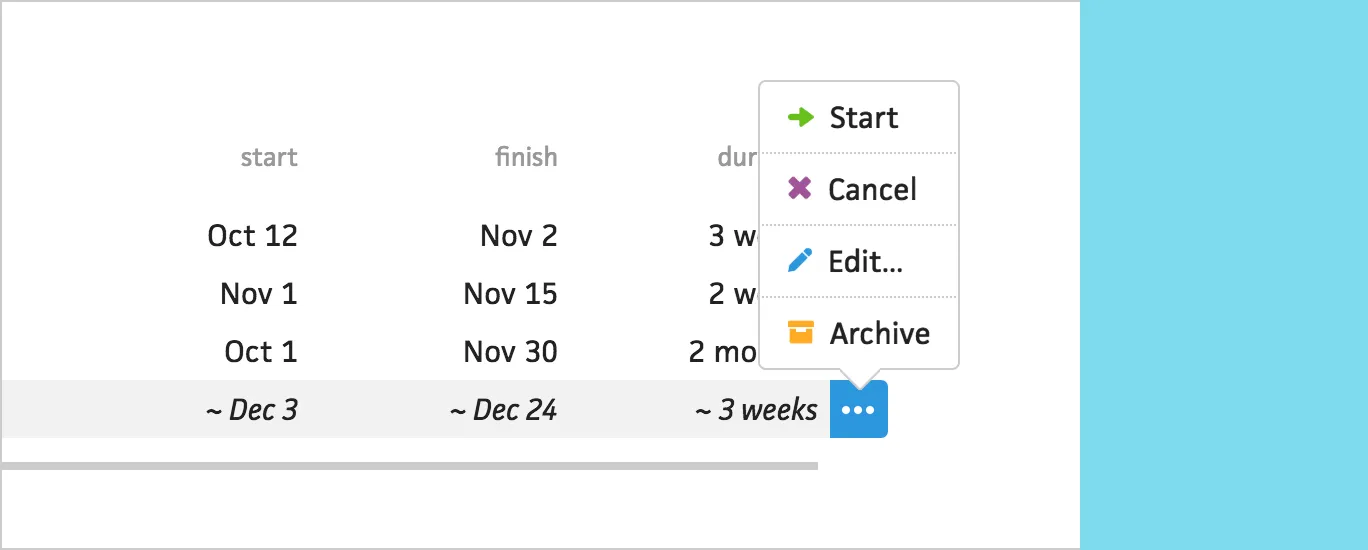
Instead of requiring people to click into a project to interact with it, we introduced a new menu in the project list. From here, you can easily start, finish, or cancel a project, based on its status. You can also one-click edit or archive projects.
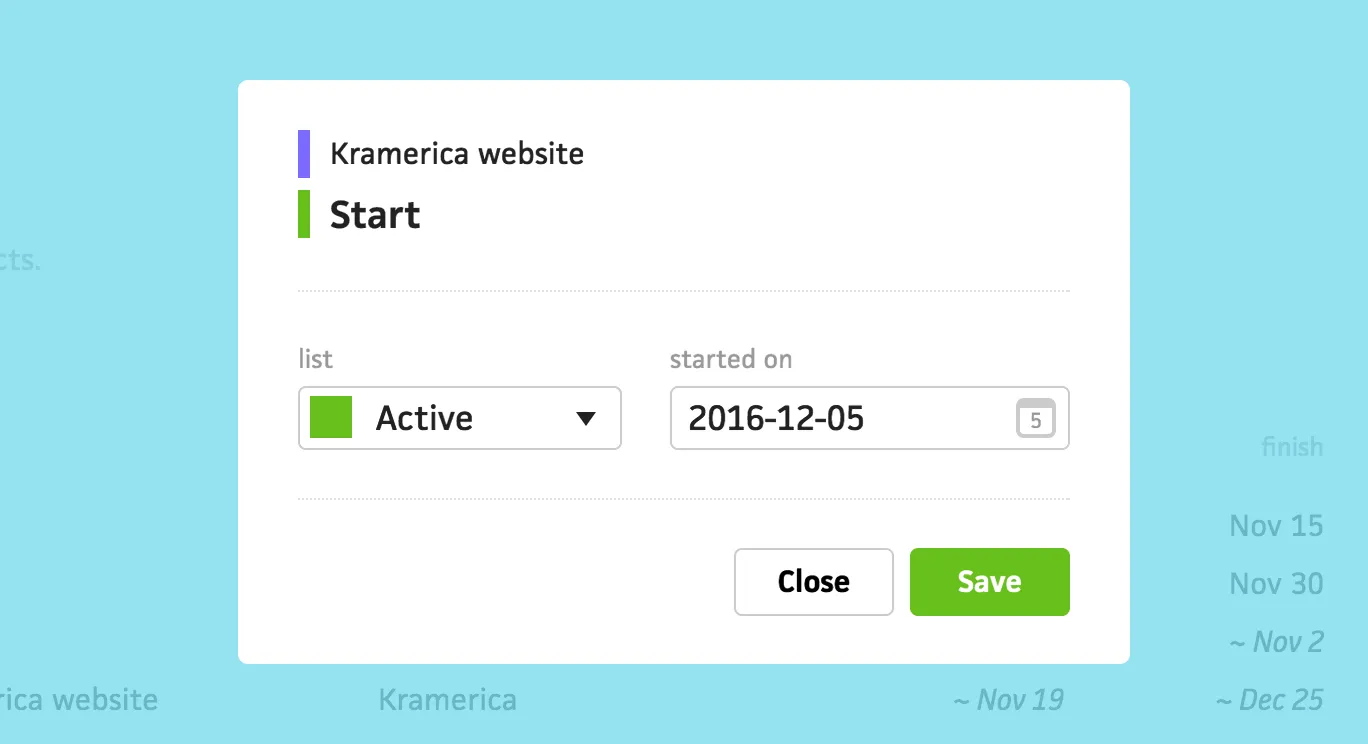
When starting a project, Cushion automatically selects the “Active” list and sets the project’s start date to today—all you need to do is click “Save”. We still provide the ability to change these fields, in case you are retroactively starting a project.
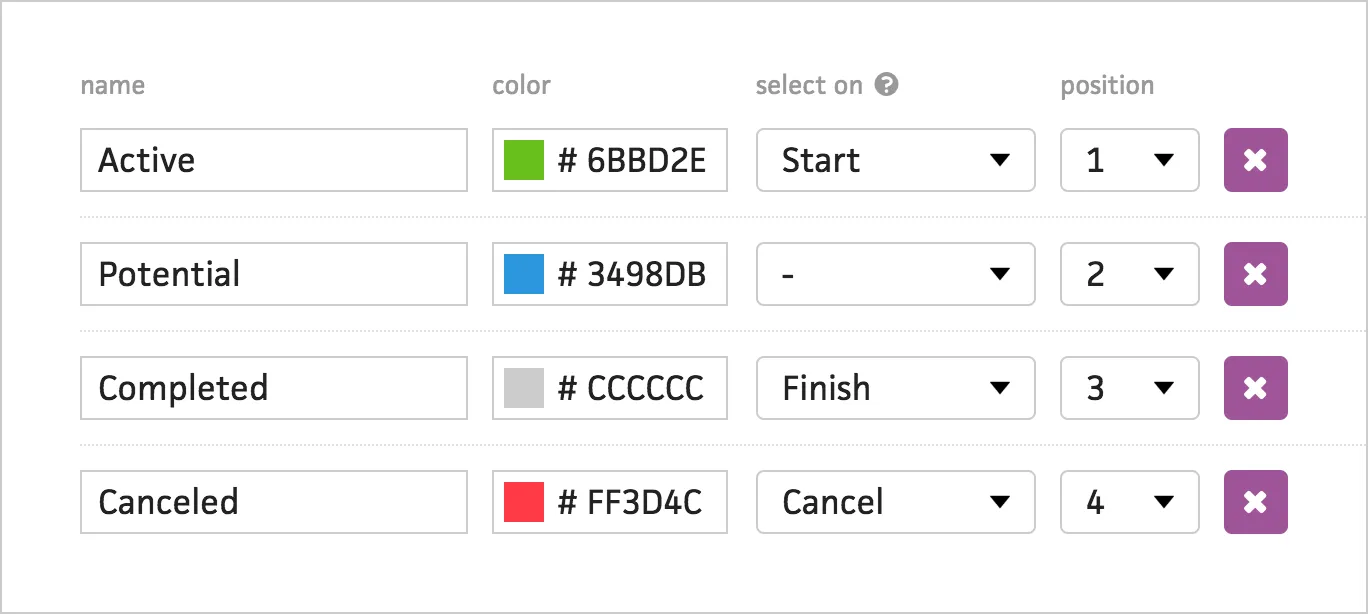
We also added a new option to lists, so Cushion knows which list to automatically select when starting, finishing, or canceling a project.
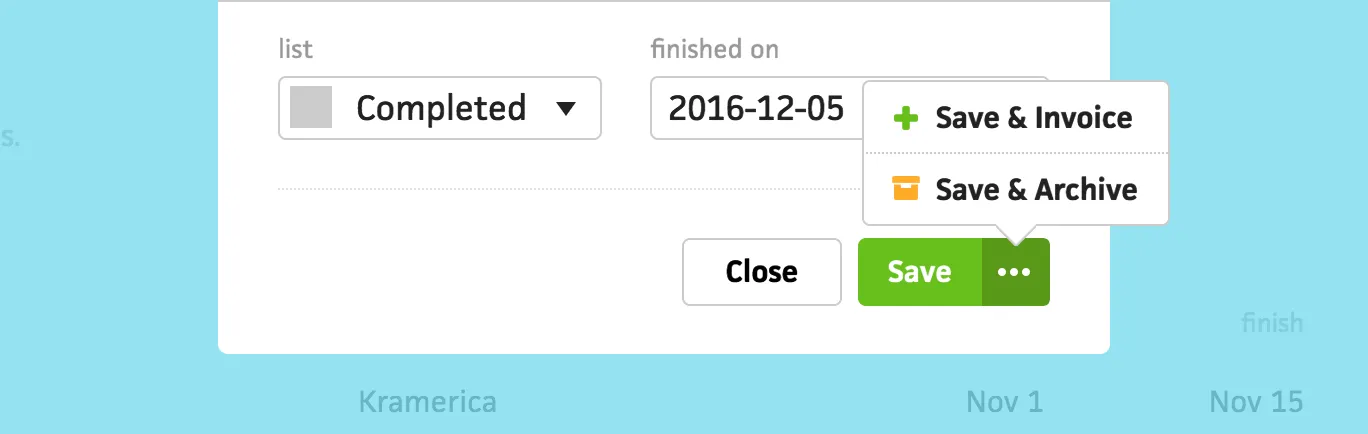
Lastly, when finishing a project, Cushion now includes the ability to also invoice or archive the project with a single click. We hope this paves a more natural path through Cushion’s interface.
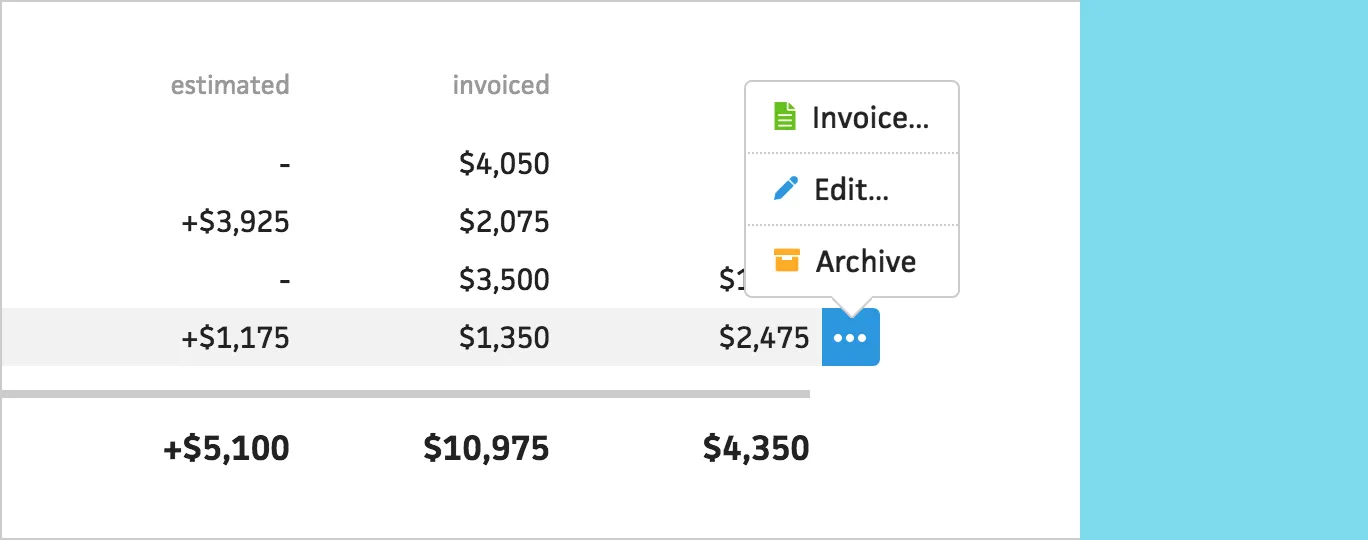
We started adding more of these useful workflows through the rest of Cushion and we’re going to continue looking for areas to improve. We hope these changes go a long way to help you streamline your own workflows.