Retainers
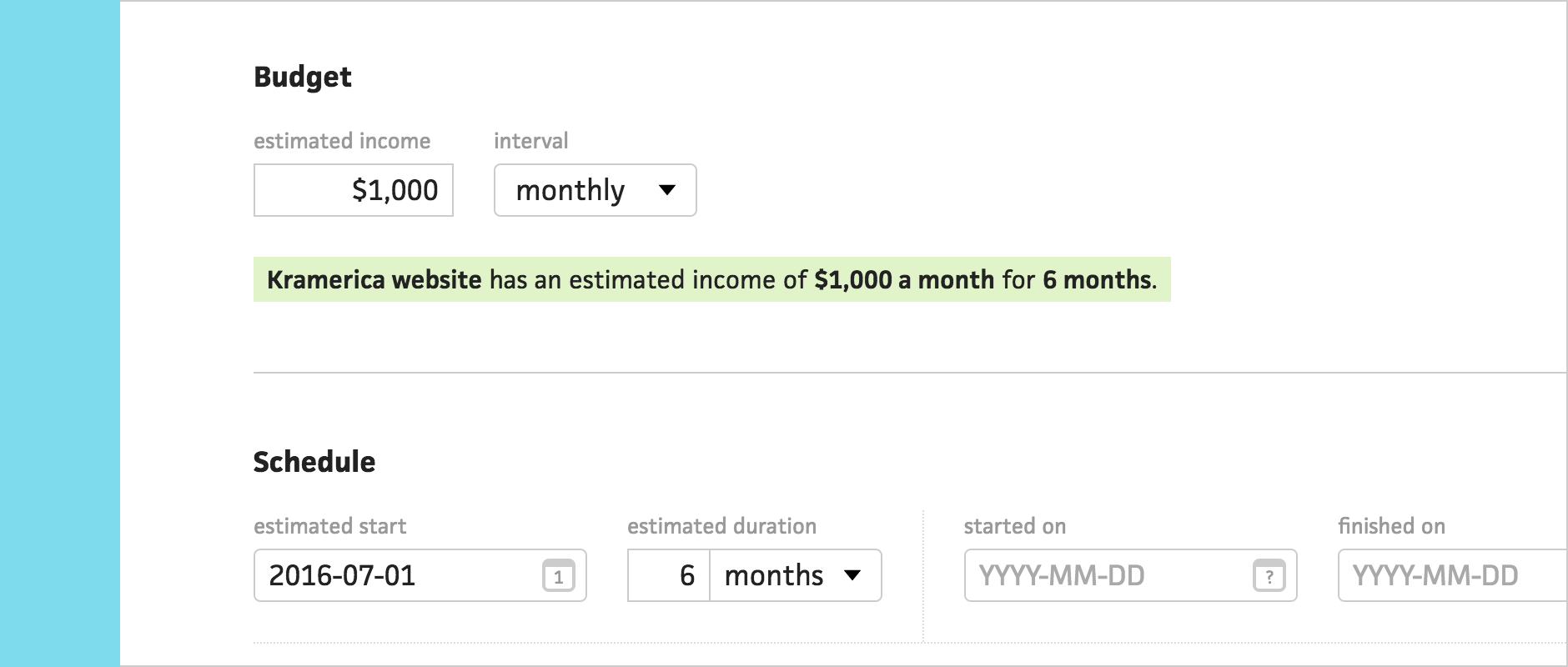



Ever since Cushion launched, projects have only had a flat-rate option for estimated income, but what about projects with a recurring income? Whether you’re maintaining a website for a client or working on a weekly rate, you should be able to specify an interval. Today, I’m excited to introduce retainers!
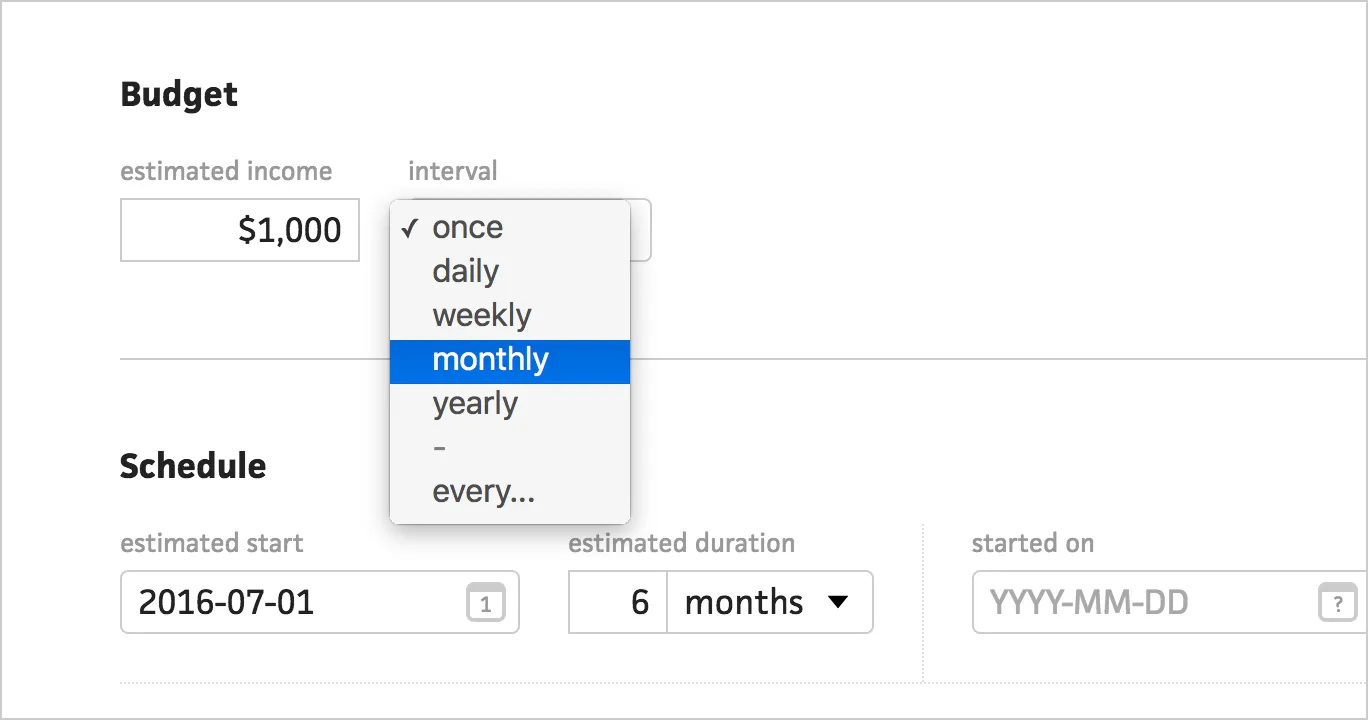
In the project form, you will now see an “interval” dropdown next to the estimated income. By default, the interval is “once”, for flat-rate projects. For retainers, you can select a common interval, like weekly or month.
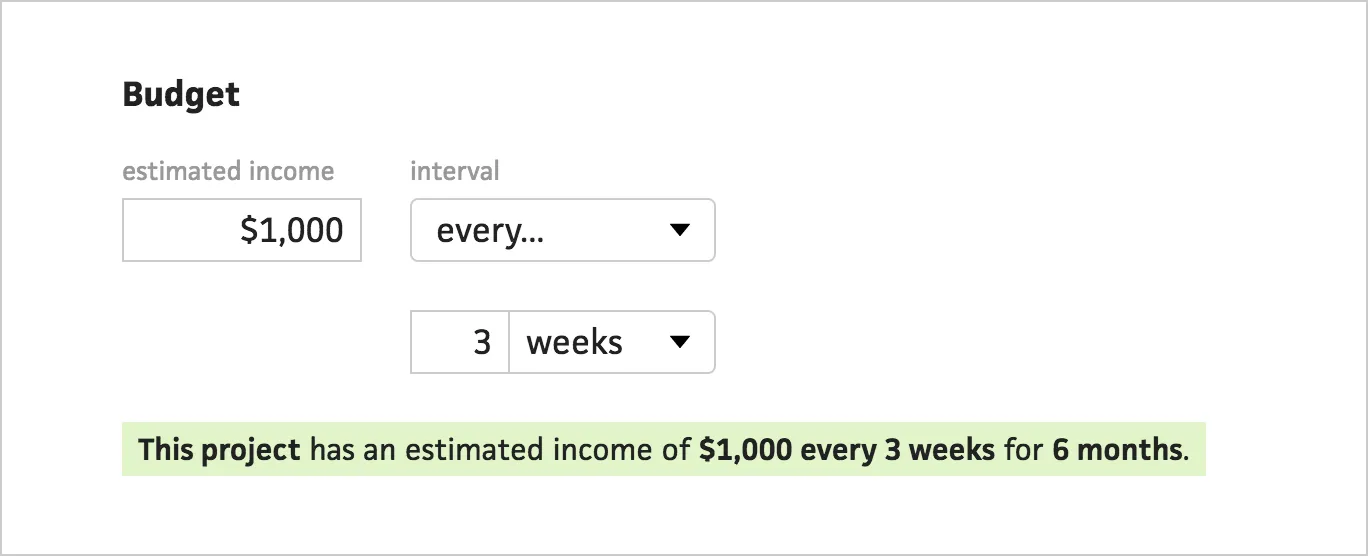
You can also set a custom interval using the “every…” option. This allows you to create retainers for projects that are billed every 2 weeks or once per quarter. After specifying an interval, Cushion will indicate the project’s retainer schedule as a clear, readable sentence.
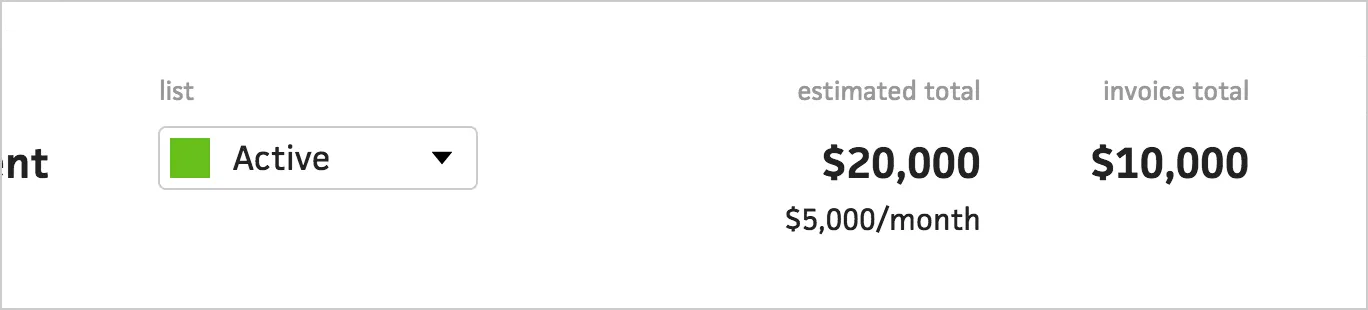
When you save the retainer project, Cushion will automatically calculate its total estimated income. If the project has a duration or an estimated finish date, Cushion will use that date range to figure out the total. Cushion also supports open-ended retainer projects by using the timeline’s range.
Retainers are a big step for Cushion—bringing an entirely new type of project to table. Whether you use retainers for existing freelance projects or to represent your full-time salary while you freelance at night, Cushion has you covered. I can’t wait to see how you use it. Give retainers a shot and let us know what you think!