Small tweaks, big improvements
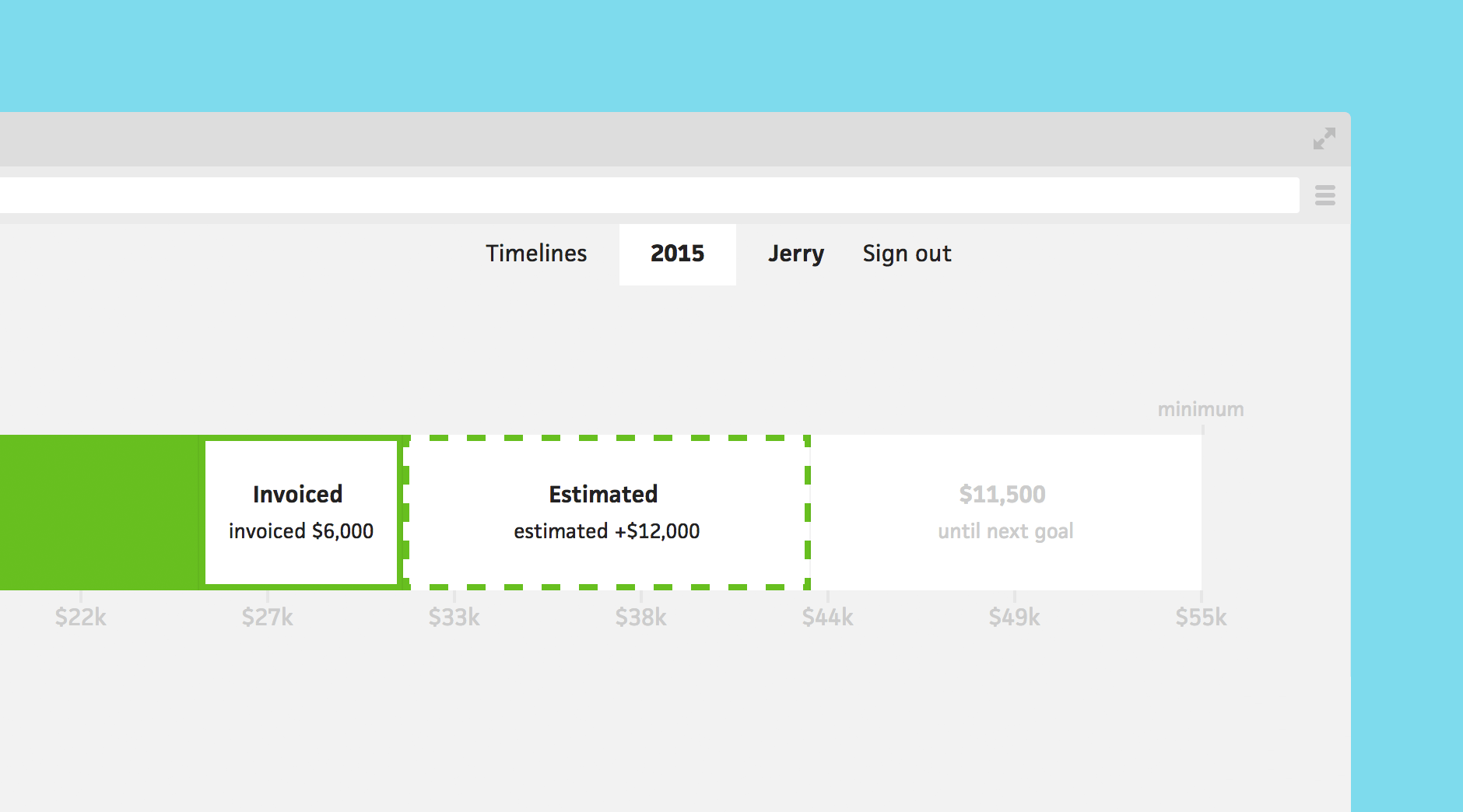



We love when small additions can make a huge difference. With this update, we focused on UX tweaks that have been requested a lot lately.
The most noticeable improvement, pictured above, is the indication of how much you need to make to hit your next financial goal. Previously, this space in the income graph was empty, leaving the user to calculate the difference. Now, you can see a clear amount and watch it go down as you chop away at it.

Next, we improved the UX for moving a project between lists by adding a dropdown menu to the project schedule/budget views. Now, instead of editing a project, you can simply select a different list and Cushion will auto-save the change.

Lastly, we added the ability to reposition lists in the projects view. If you use the default lists, but want to add “Pending” between “Active” and “Potential”, you can choose that position from the dropdown menu
We hope these small tweaks will help you be even more efficient in managing your freelance life. If there are any other improvements you’d like to see, let us know!