Invoicing
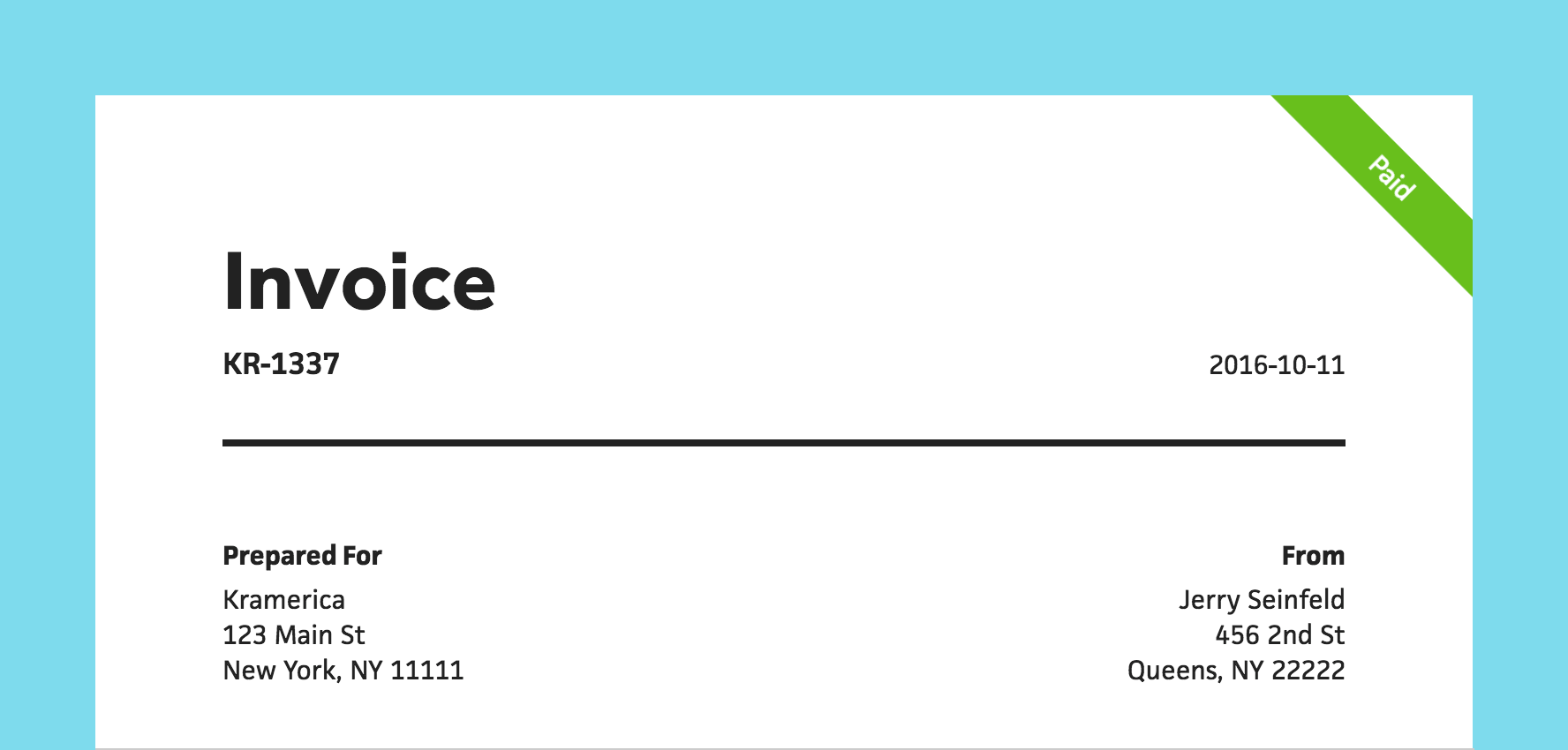



For the longest time, Cushion has had invoice tracking, but not the ability to create invoices to send to your clients. After months of non-stop work, constant fine-tuning, and diligent beta testing, I couldn’t be more excited to finally introduce Cushion’s latest addition—Invoicing!
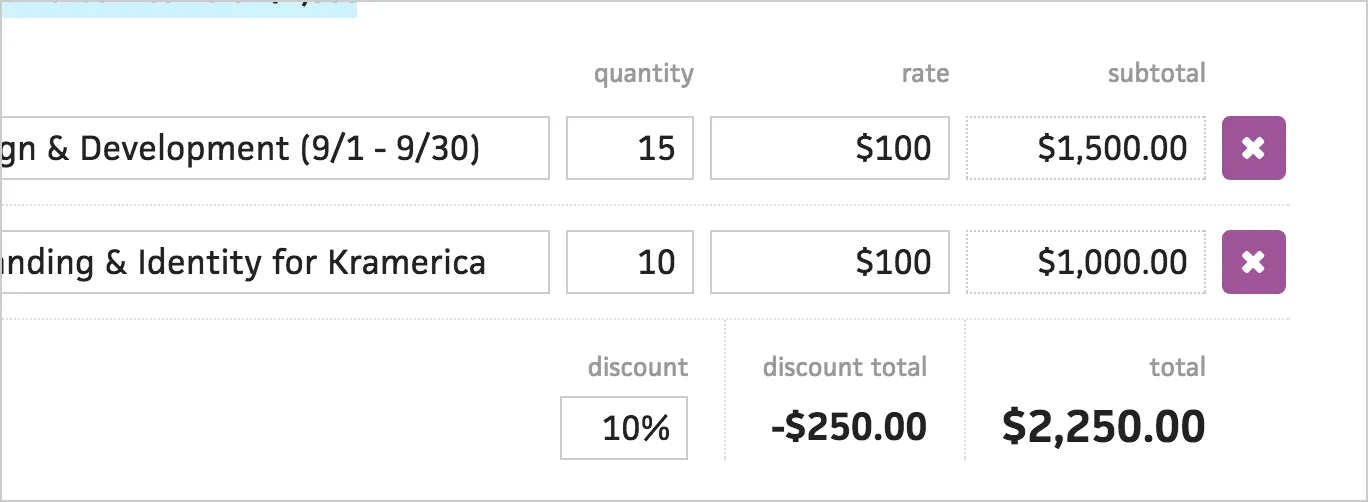
Up until now, Cushion has only supported invoices with single amounts—for tracking. With Invoicing, Cushion adds line items to invoices, so you can describe the work you’ve done, base it on a rate, and let Cushion calculate the rest.
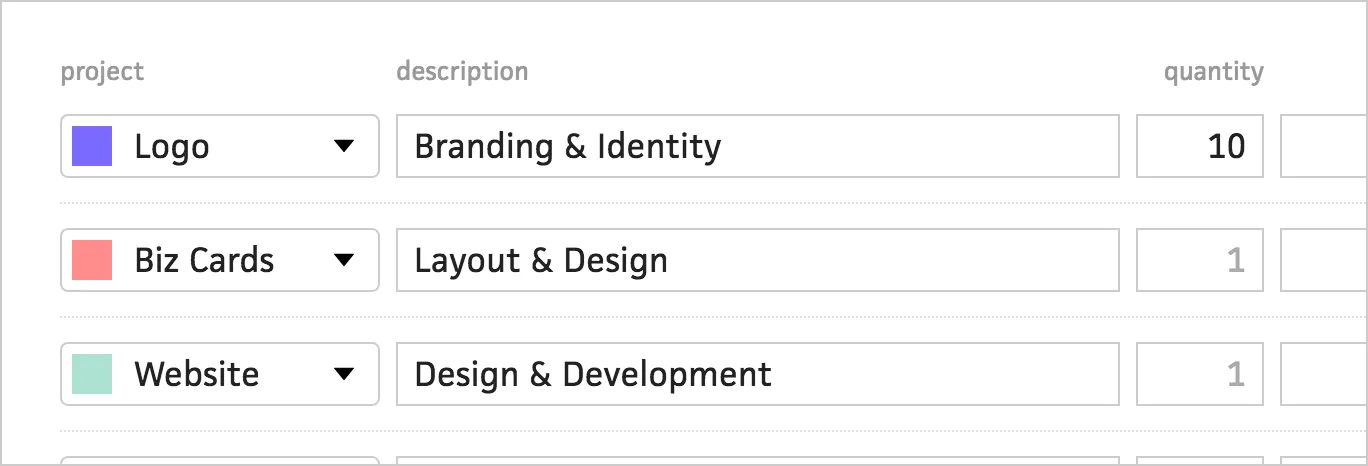
You can even tie a single invoice to multiple projects through line items and Cushion will automatically divvy up the income in the budget graph.
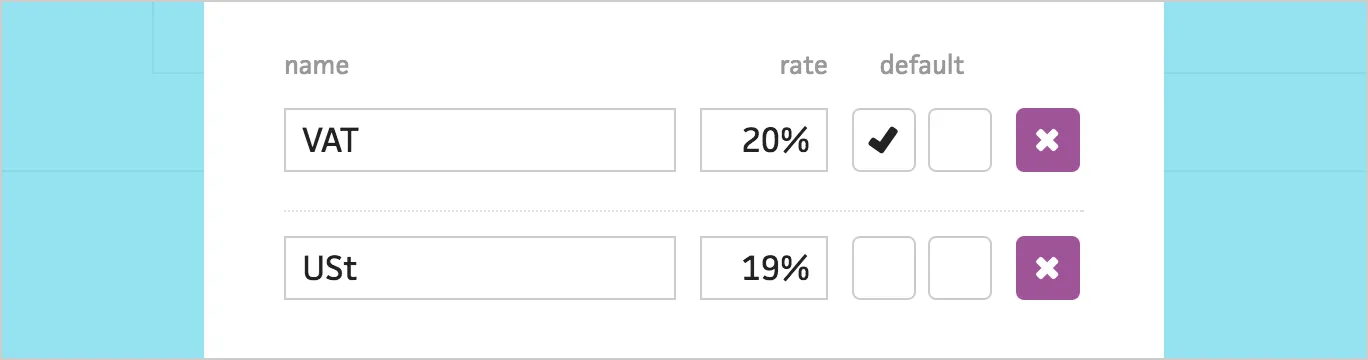
Thanks to the feedback from our beta users, Cushion invoices also support multiple taxes per line item. You can easily save common taxes and mark them as your defaults.

When Cushion calculates an invoice’s total, it will also calculate the tax totals and label them accordingly. In your income graph, Cushion will use the pre-tax total, so you can see your actual income. We plan to extend this to show tax totals for the entire year.
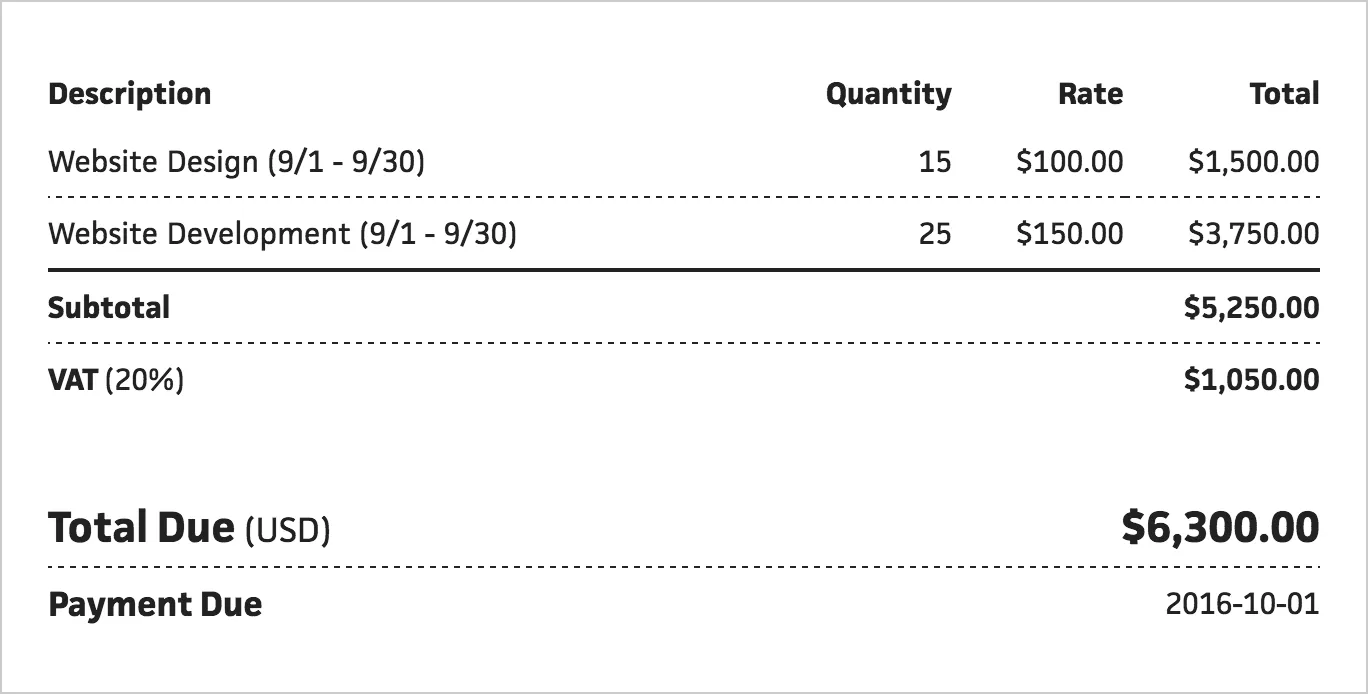
The template we designed for invoices is simple, clean, and easy-to-read, so your clients will have no problem seeing how much they owe and when they owe it.
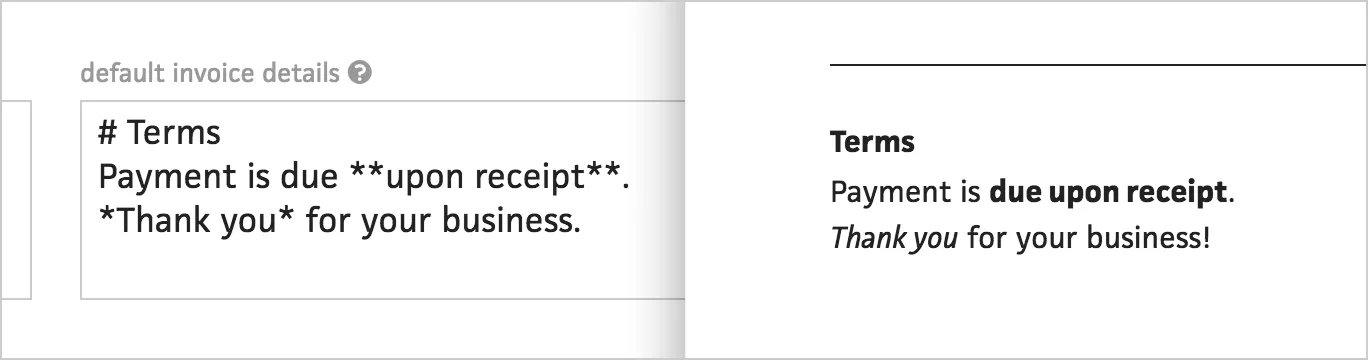
When you click into an invoice, you can see a preview of the invoice and edit any details right there, like addresses or terms. The details field supports Markdown, so you can include a header for terms alongside a note to your client.
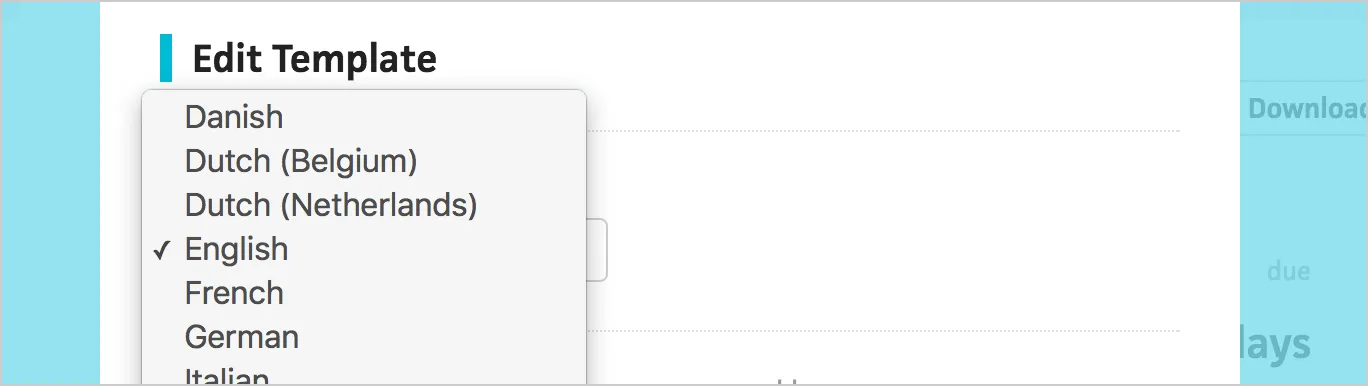
Thanks to Cushion’s invoice translation contributors, you can also select from a number of different locales to generate an invoice in your native language. If your locale is missing and you’re interested in contributing, you can help us out here.
This is just the beginning for invoicing in Cushion. We have a ton of features planned, like the ability to send invoices directly from Cushion, accept payment from clients, and customize the template. Stay tuned for future updates!